
Mesh Admin TUI#
The Mesh Admin TUI (monarch-tui) is an interactive terminal client for
inspecting live Monarch meshes. It connects to the mesh admin HTTP API and
renders the full topology — hosts, processes, and actors — as a navigable tree
with a contextual detail pane.
See the observability overview for how the TUI complements distributed telemetry and the Monarch Dashboard.
The TUI is included in the torchmonarch PyPI package. After
pip install torchmonarch, the monarch-tui command is available on PATH.
Quick Start#
Start any Monarch application that spawns a MeshAdminAgent. The
Dining Philosophers example is the easiest way to try it — five philosopher
actors share chopsticks around a table, mediated by a waiter actor that prevents
deadlock.
Terminal 1 — start the example:
python python/examples/dining_philosophers.py
The example prints the admin server address on startup:
Mesh admin server listening on http://127.0.0.1:1729
Terminal 2 — attach the TUI:
monarch-tui --addr 127.0.0.1:1729
Topology Tree#
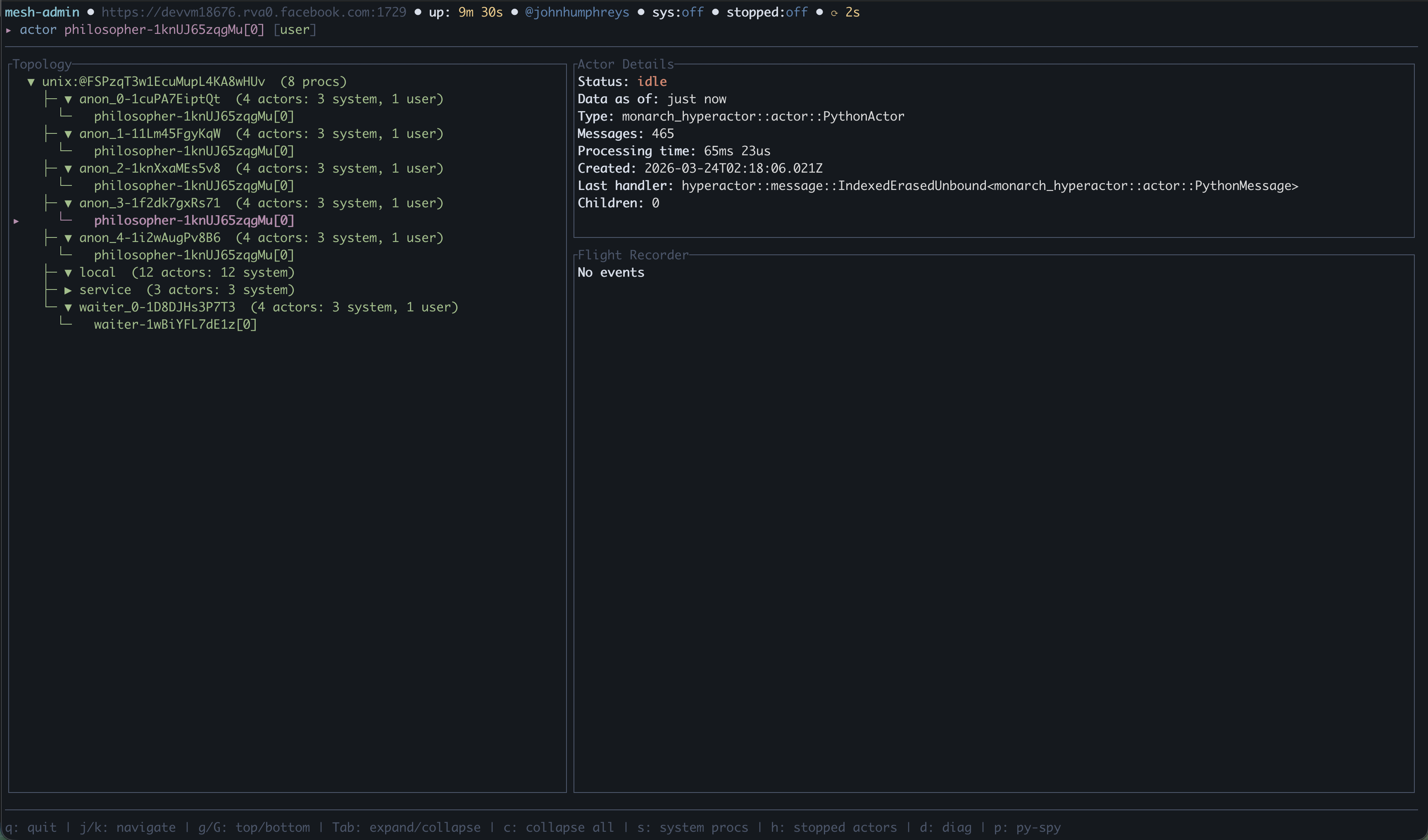
The main view is a split-pane layout: an expandable topology tree on the left showing hosts, processes, and actors, and a detail pane on the right with contextual information for the selected node.
Navigate with j/k, expand and collapse nodes with Tab. Selecting an
actor shows its status, message count, processing time, last handler, and
flight recorder events.
Py-spy Stack Traces#
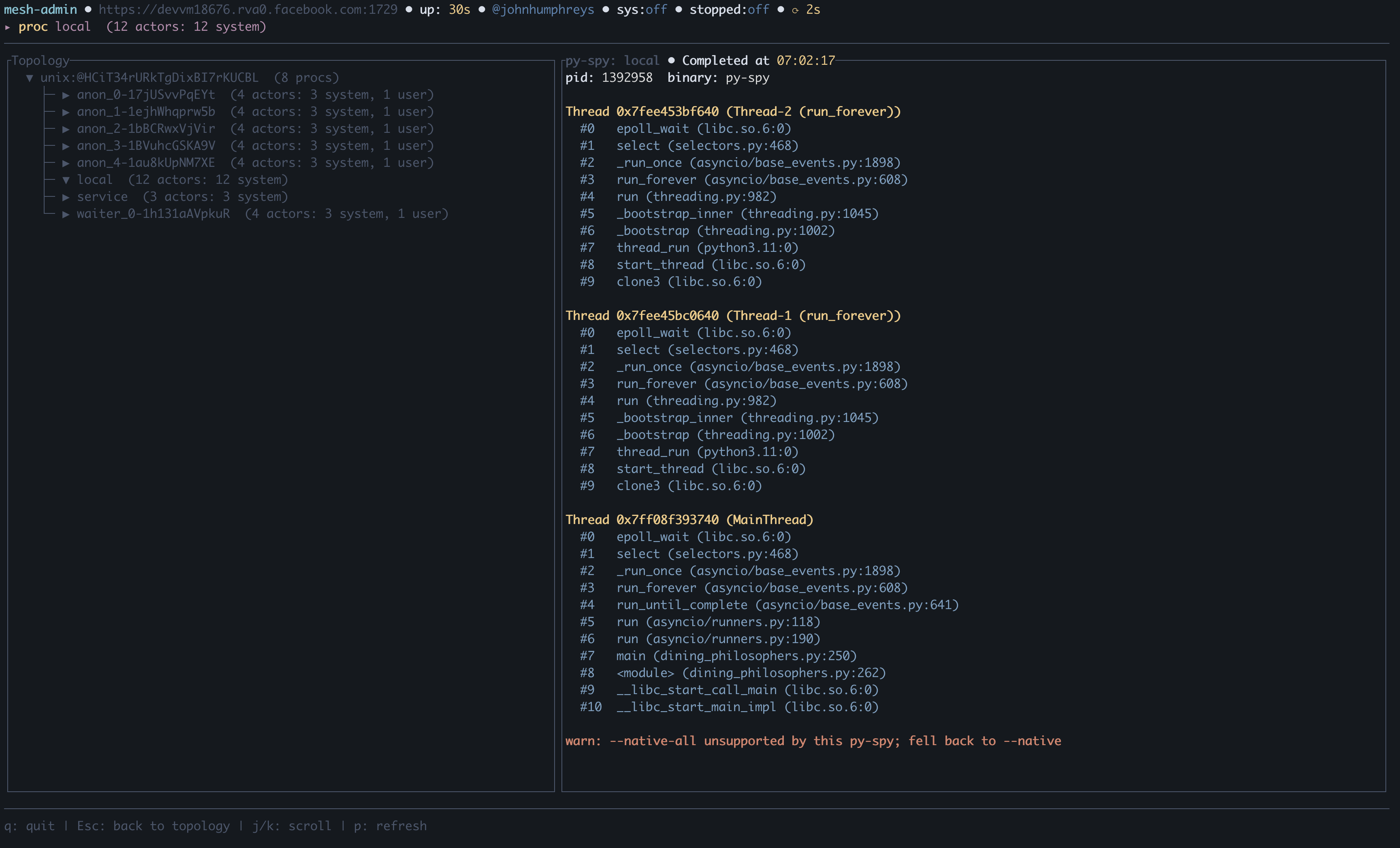
Press p on any proc or actor to capture a live Python stack trace via
py-spy. The overlay shows per-thread
stacks with frame-level detail, GIL ownership, and thread names. Each press
fetches a fresh trace — useful for diagnosing hangs in C extensions and CUDA
calls.
py-spy is not bundled with torchmonarch; it must be resolvable on the
target host — either on PATH or via the PYSPY_BIN environment variable. If
it cannot be found, the stack-trace request reports that py-spy is unavailable
rather than failing the proc.
Keybindings#
Key |
Action |
|---|---|
|
Move cursor down |
|
Move cursor up |
|
Jump to top |
|
Jump to bottom |
|
Page down |
|
Page up |
|
Expand/collapse selected node |
|
Collapse all nodes |
|
Toggle system actor visibility |
|
Toggle stopped actor visibility (failed actors always remain visible) |
|
Py-spy stack trace for selected proc or actor |
|
Scroll selected item to top of viewport |
|
Dismiss overlay |
|
Quit |
CLI Options#
monarch-tui [OPTIONS] --addr <ADDR>
Flag |
Description |
Default |
|---|---|---|
|
Admin server address ( |
required |
|
Auto-refresh interval in milliseconds |
|
|
Color theme: |
|
|
Display language: |
|
|
Path to PEM CA certificate for TLS |
auto-detected |
|
Path to PEM client certificate for mutual TLS |
auto-detected |
|
Path to PEM client key for mutual TLS |
— |
Telemetry Query Proxy#
When the admin server starts with distributed telemetry, it also exposes:
Endpoint |
Purpose |
|---|---|
|
Run DataFusion SQL and return |
|
Capture and persist a py-spy dump in telemetry tables |
For example, post {"sql": "SELECT * FROM actors LIMIT 10"} to
/v1/query. Discover available tables with
SELECT table_name FROM information_schema.tables.
The TUI’s p key and GET /v1/pyspy/{proc_reference} perform a one-shot
capture. Use the pyspy_dump endpoint when the capture must remain queryable
in pyspy_dumps, pyspy_stack_traces, pyspy_frames, and
pyspy_local_variables.
Source Code#
Component |
Location |
|---|---|
TUI binary |
|
TUI library |
|
Admin HTTP API |
|
Dining philosophers example |
|